
I once asked an executive assistant to help me be better at calendaring. Of course, she was a complete expert and pro at this, and I learned a lot. I’d like to share some of the things she taught me.

Calendar rules I learned from an EA
Note this whole article is based on Google Calendar, because that’s what I’ve been using professionally forever. But many of these principles apply to other calendaring tools.
Don’t let two meetings overlap
There are a lot of ways to handle your calendar, but I recommend handling it “as invites come in”.
One of the most basic errors people make with their calendar is they don’t handle the fact that there are conflicts in their calendar.
When you get an invite to a meeting, if there is a conflict, you should communicate your intentions. Otherwise, when you DO address the conflict, the impact of that decision will hit other people at inconvenient times. For example, you might do it the day of, and then all the people who expected you to show up now have to handle the fact you won’t be at that meeting. Rude! Or more accurately, disruptive.
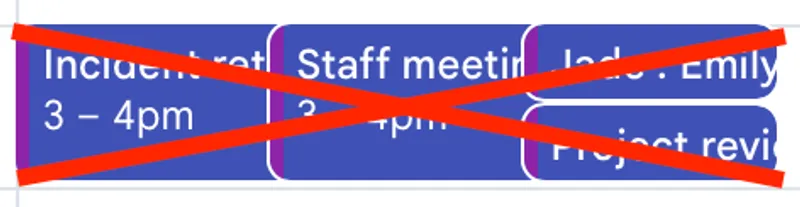
This is metaphorically similar to merge conflicts in code. It’s way better to keep your calendar integrated with others, than to produce a bunch of surprises at the last minute.
Color code your meetings by what kind of meeting they are.
One thing I noticed when the EA showed me the calendar for the CPO she worked for was that the calendar was color coded. When I asked her about that she explained that there was a whole system to it. The colors represented what type of meeting it was.
For me, this was a relevation. Ever since then, I’ve played with a couple of different schemes for color-coding my calendar. They have varied as my work has varied, and you should probably create your own schemes. But they can represent things like:
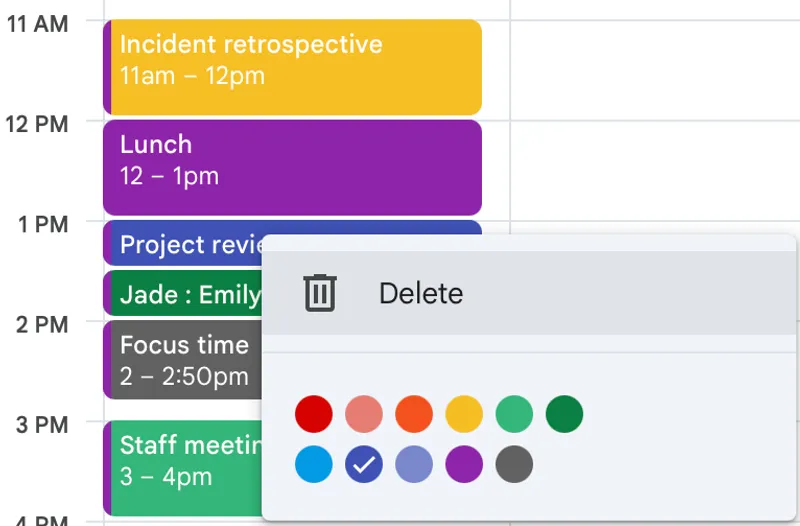
- Level of focus: your staff level, stuff within your org, stuff above your level.
- Which clients it is for.
- What type of problem the meeting focuses on.
- Whether the meeting is to help others, or deliver your own goals.
- Type of meeting: 1-1, operational, technical, people matter, etc.
Do what you find useful, and evolve it over time.
Consider a calendar budget
One thing she talked about with me is the use of a calendar budget. Essentially, you look at how the executive wants to use their time, and try to limit the number of meetings of each type to that amount of time in the week.
The executive she modeled this on spent some time at the beginning of the year figuring out what they wanted an ideal week to look like. And they created a budget for that. Stick that budget on a sticky on your monitor, and then color code the budget categories. As things comes in, start saying no to things that exceed your budget.
Now this does imply a level of control of your calendar that some people will feel like they don’t have. But even if you only control a couple of the categories, that can still be useful.
For me, I like to be helpful to other people, but I can tend to take on more of that type of meeting than I probably should. So I color code those meetings, and try to limit them to 1 or 2 per week. If someone requests my help with something, I’ll then sometimes be willing to schedule it, but ask that it be further out.
Schedule and block out lunch.
I’m surprised how many people don’t do this. If you’re flexible about the time for your lunch, you can make it a “habit” with Reclaim, and it will make sure you get a lunch within a time period you set.
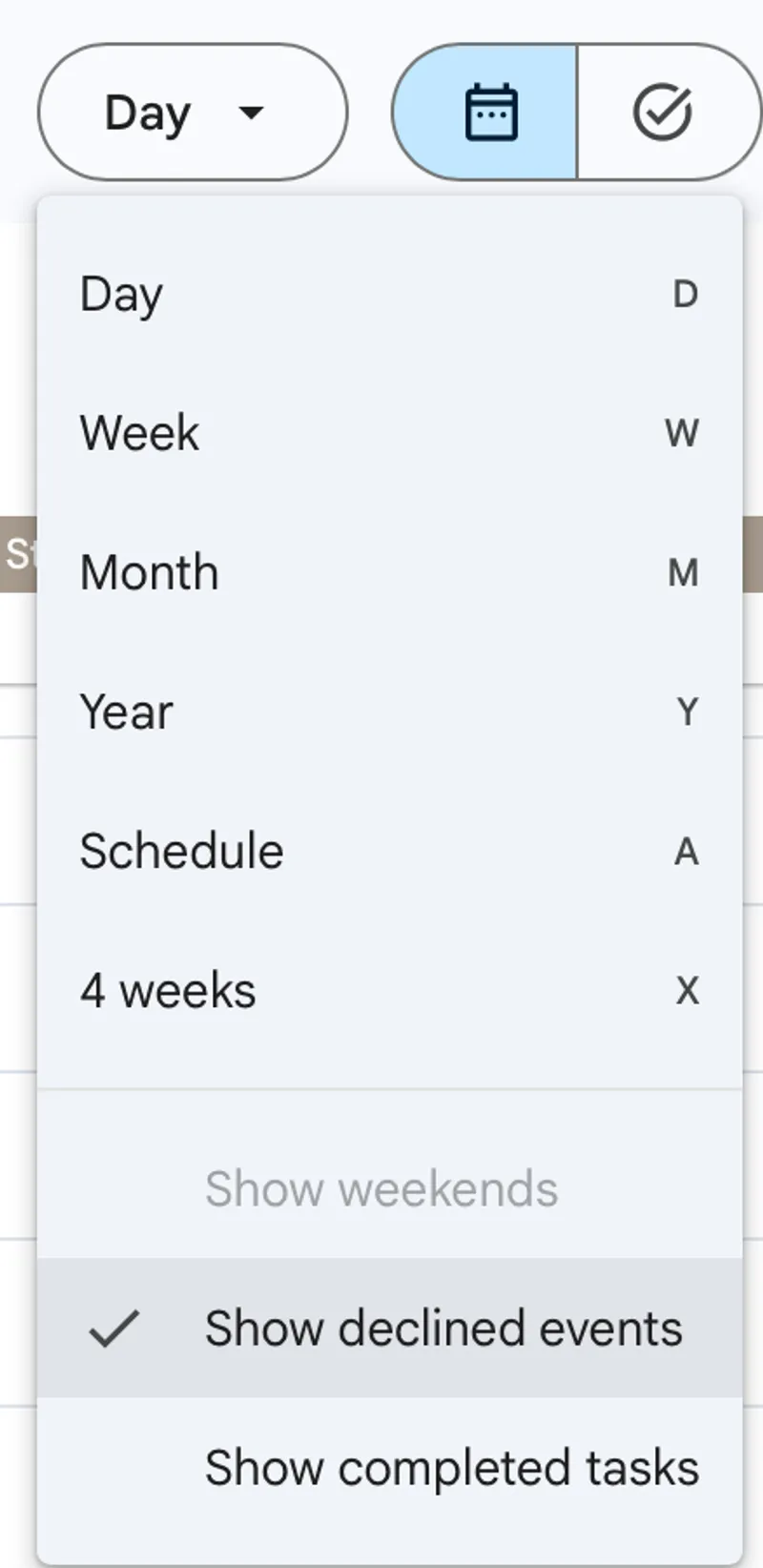
Don’t show declined events.
People often leave declined events on their calendar. Simplify your view of the world — take them off, and only add them back on when you’re looking for them.
Calendar rules I learned from Bjorn
The first VP of Engineering I served under was Bjorn Freeman-Benson. He was very insistent that his managers follow some rules with their calendar. He drilled all of these things into our mind, and it became “the way” we all did things. It was a great early education into how to use a calendar well.
Start meetings on time.
The motto I’ve developed over time is that if people are late to a meeting, you want them to feel a little bad about it. If it hasn’t started already and they’re late, you’re probably encouraging lateness.
This has to be led by example from people high up in the organization. I try to set it as an expectation within my organization.
Remote work does make this a little more difficult, because people sometimes have technical challenges. And there also is a greater need for chitchat and human interaction. You might decide meetings start at 3 minutes after?
Make your calendar entries editable by default.
If you need to change the time for an appointment, it’s a hassle to go through the “propose another time” workflow. If they have access to your calendar, it’s much easier for them to just edit the invite.
So set your calendar entries to be editable. You can do it on a case by case basis in the invite:
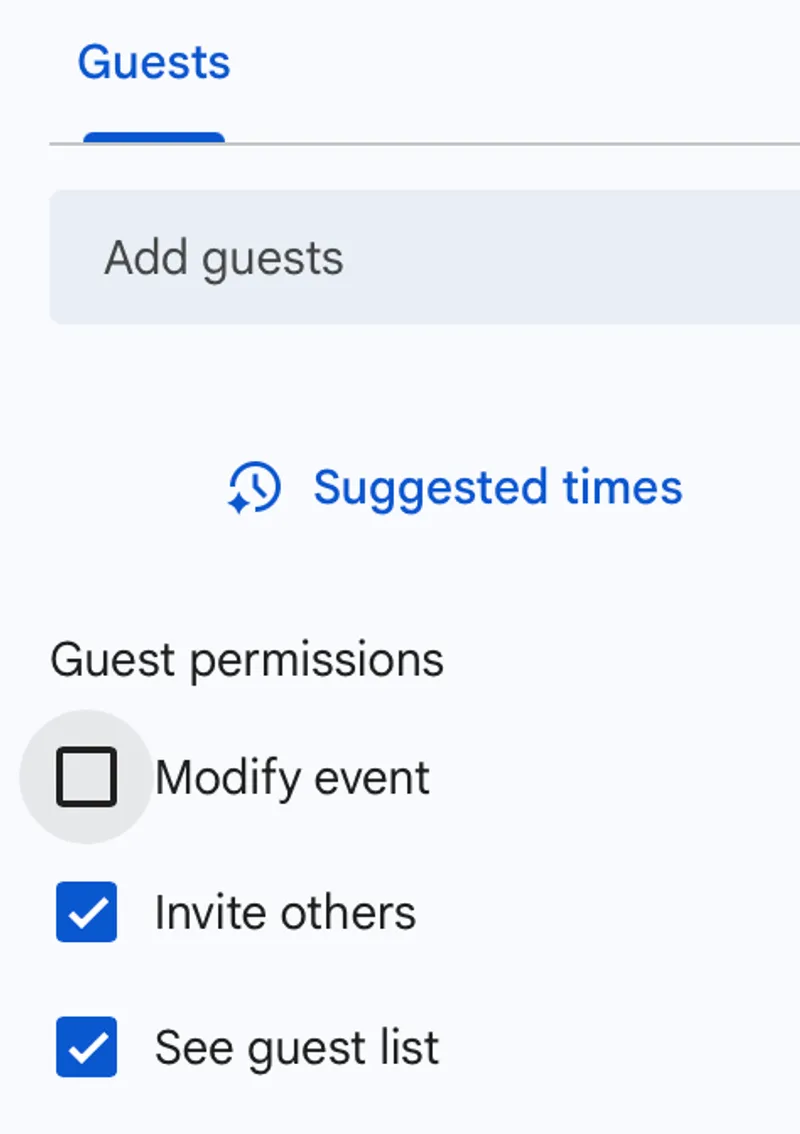
Or do it in your preferences (calendar setting, general, Event settings, guest settings -> Modify event) and have it default to that for all future calendar invites. I recommend making the default editable, and then turn off editable for meetings that are so large you worry someone will screw up the invite.
If you go on vacation, people can still edit the invites for your meeting. They can change the conferencing options, or add agenda items, or add a document to the calendar invite. Treat it more like a wiki.
Of course, this works as far as you can trust the people you’re making the invite for. But honestly it’s a better default.
Use speedy meetings
One of the reasons meetings waste time is that people have biological needs. They need to use the restroom or get water.
If you run your meetings right up to the end of the hour, you’re making meetings as a whole less effective. Start on time, and end at :25 or :50 or :55.
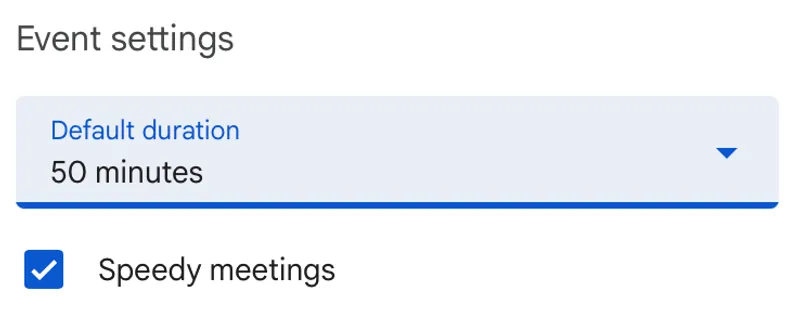
You can do this by default by turning on “speedy meetings”.
The more hardcore way of doing this is starting meetings at :05 or :35. I kind of like that, although people sometimes loose track of time or forget if it’s at a weird time like that.
Calendar rules I learned from Reclaim
For several years, my favorite calendar tool has been Reclaim. In the course of using Reclaim, I’ve learned a few things about calendaring.
Sync your personal and work calendars (Reclaim)
Unless you want to manually sync events between calendars all the time, having a sync between calendars is just going to make your life easier. Reclaim is quite good at this. I’ve also used Calm Calendar for this — it’s a better choice if you only want to sync calendars as it’s less expensive than Reclaim.
Schedule your work on the calendar
There is a lot of tooling you can use to put the things you’re working on onto your calendar so you can plan out your time.
Reclaim, with it’s Todoist integration, is my favorite for this, but I’ve used other tools. SkedPal was fine (although right now as I write this, the site is down, which is ominous). Trello has some new functionality for this, although you have to do it manually. And Todoist does as well.
What I like about Reclaim is that you put in your todo items, say how long they will take (with quick abbreviations like [2h] for two hours), prioritize them (p1 p2 p3 p4), add deadlines, and you can just forget about them. It tells you if you have anything that won’t get done on time. As long as you do what your calendar tells you to do, you’re fine! And it automatically updates as you move things around, add new calendar items, etc.
It’s become my favorite way to organize my time.
Take advantage of the busy/free bit on calendar items.
You can schedule things on your calendar that other people don’t see. Just mark the calendar invite as Free. This can be useful if you want to annotate your calendar but not have it show up as busy.
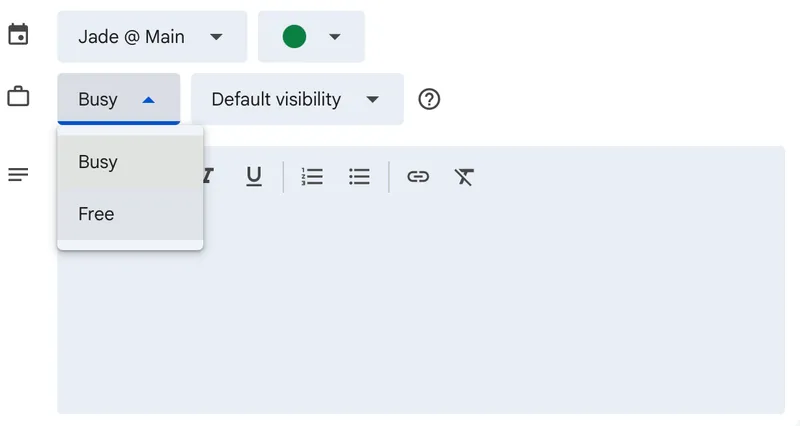
I also sometimes will mark something as Free if I am setting aside that time to work on a particular thing, but I’m willing to be interrupted.
Calendar rules I learned from colleagues
Schedule a day after vacation as reentry time.
One thing I noticed Nic Benders doing was after taking a vacation, he’d take an additional day of vacation on his calendar so he could get back up to speed and get situated at work. He’d catch up on everything he missed, plan out his work, and generally get ready to go.
Thank you
I believe it was ARay who showed me how to level up my calendar game (I have a terrible memory, so if I’m misapplying credit, let me know!). Bjorn Freeman-Benson and Nic Benders have obvious ways they taught me things (as shown above).
Image by Lubos Houska from Pixabay
Conflict of interest
I’ve been recommending Reclaim for years, and it’s one of the products I’d most be unhappy about losing. I worried when they were purchased by Dropbox, because I thought the product might change (so far it hasn’t). They started offering affiliate codes recently (Dec 2025), so I’m going to link Reclaim with those links. I’d like to say that won’t influence what I recommend, but of course people aren’t as unbiased as they think they are. So I try to disclose that fact so you can take my recommendation with suspicion! From my point of view, the likely very small financial upside for me is really not worth harming my reputation, so if I change my evaluation of Reclaim, I’ll take it down.